Digital mailroom
Scan the morning mail as one stack. Every piece lands with its team.
CapturePoint 6 splits the stack into documents, works out which is an invoice, a W-9, a notice of loss or a lawsuit, reads them on your own PC and sends each one to the team that needs it. Nobody walks paper between desks again.
Windows 10 and 11. The free trial starts the first time you open it, with no form.
One morning
What the mailroom does now, and what it stops doing.
01 · Before the scanner
Open, flatten, unstaple.
Open everything, take out staples and clips, and set aside anything you handle on paper: checks under your cash procedures, mail marked personal. Keep the envelope with anything whose postmark date matters to you.
02 · At the scanner
One stack, not twenty piles.
The morning goes through as one stack. No sorting by department first and no separator sheets. CapturePoint 6 finds where each document ends and what kind it is.
03 · At the screen
Look only at the few it flags.
Anything CapturePoint 6 is unsure of waits with the reason shown, for example a total it could not read. A key press confirms it, and it learns from each one, so the pile it flags keeps shrinking.
04 · Before anyone asks
Delivered, named, searchable.
Each document goes to its team as a searchable PDF, named from what it says, with the fields already filled in.
Who gets what
The routing sheet on the mailroom wall, done by the scanner.
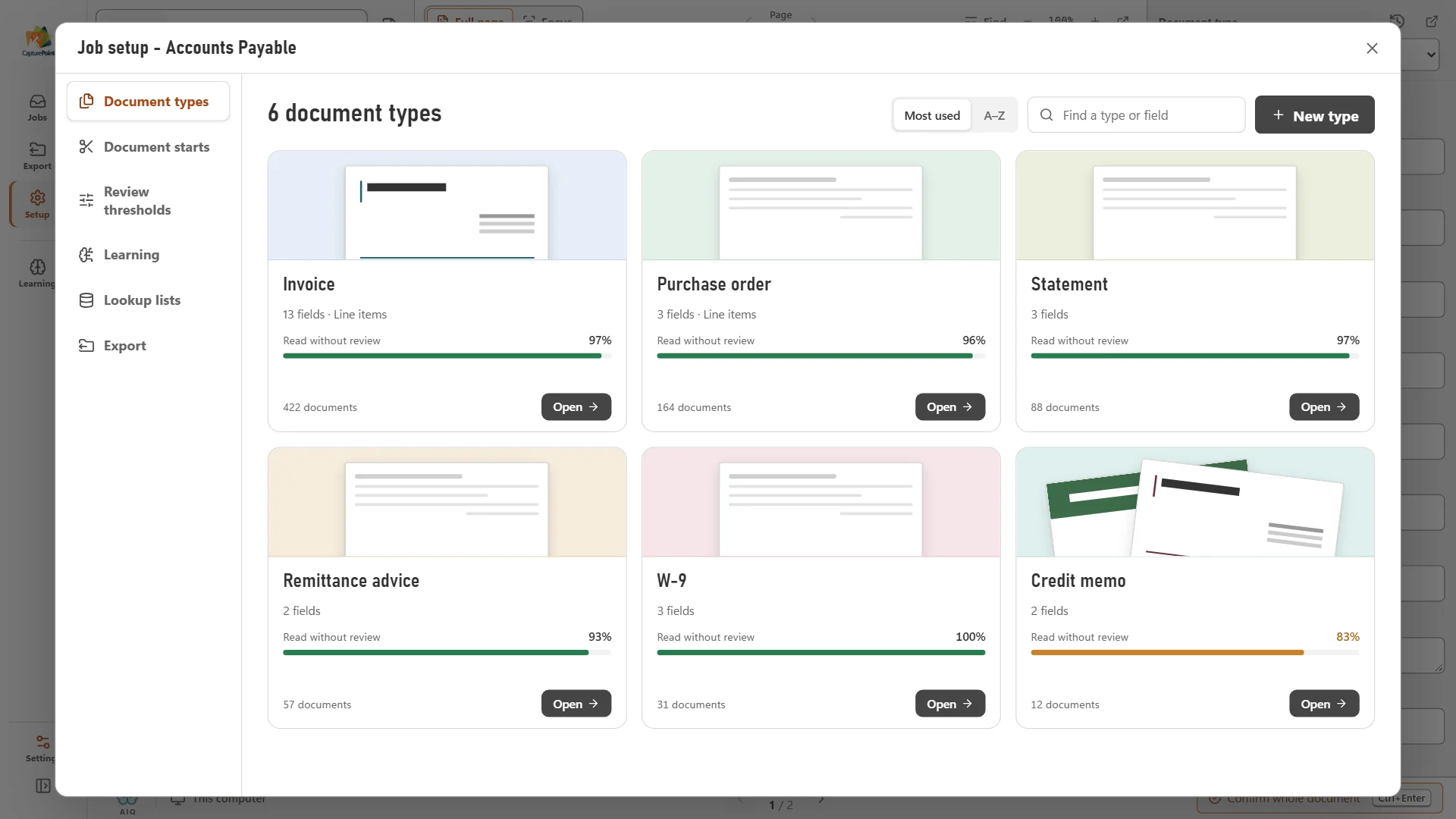
These document types and fields come from CapturePoint 6 set up on our fictional sample mail. Your own mail is learned from a folder of your samples: it proposes the types and fields, you adjust them once.
- InvoiceVendor, invoice number, due date, total, line itemsAccounts payable approval queue
- Credit memoCredit memo number, vendor, invoice it applies to, credit totalAccounts payable
- Form W-9Taxpayer name, business name, tax classificationVendor setup
- First notice of lossClaim number, policy number, date of loss, insuredClaims intake
- Explanation of benefitsMember, member ID, statement date, patient responsibilityBilling office
- Complaint or demand letterCase or claim number, plaintiff, defendant, firmLegal, the same morning
Setting it up
Point it at last week's mail. It works out the types.
Give CapturePoint 6 a folder of scanned mail and it sorts the samples into document types and proposes what to read from each. No templates, no zones drawn on pages. Then set where each type goes.
Everything is read on the PC by the scanner. Nothing is uploaded to be read, which matters when the mail includes medical, legal or personnel paperwork.
Where it lands
Into the place each team already works.
- Your own foldersFolder and file names built from the fields, for example Vendor / Invoice number.
- Content CentralFiled by document type with its fields, then put in the right work queue.
- SharePoint and OneDriveWork or school accounts; SharePoint can fill same-name columns.
- Google Drive and DropboxThe PDF with its values attached.
- Nucleus OneValues go to the fields with the same names.
With Content Central, the mail lands in a queue
A rule per document type puts each arrival in front of the right person or group, and emails them that it is there. Invoices can start their approval the moment they are filed. Work queues show what is waiting and for how long, and a rule can remind or escalate when something sits too long.
And the mail that arrives as email
Content Central can watch a shared mailbox on Microsoft 365, Gmail or any IMAP server and file the attachments with sender, date and subject as fields. If you only need the data out of emailed PDFs, Paige reads them in the cloud and delivers the values by download, SFTP or webhook.
Before you switch
Six mailroom rules to write down first.
Software handles the sorting. These decisions are yours, and a mailroom runs smoothly when they are on one page.
- 01Who opens the mail, and who covers when they are out
- 02What is never scanned: personal mail, checks handled under your cash procedures
- 03Which envelopes are kept, and for how long
- 04Which document types go to which team or queue
- 05Who looks at the documents the scanner flags, and by when
- 06How long the paper is kept after scanning, and how it is destroyed
Try it on tomorrow's mail.
Install CapturePoint 6 on the PC next to your scanner. The free trial starts when you open it. Run a morning through it and see where every document would go.