
Document Management Software
Simple | Flexible | Powerful
Document Management Feature Highlights
Content Central Document Management System
Content Central on-premise or in-cloud software offers document management for SMBs to enterprise organizations that are looking to streamline their business and document-intensive processes with workflow automation that includes eSignatures, form submissions, and compliance.
Organizations of any size, whether employees are remote or in an office, can control and track which users access, change, and share company documents. Eliminate repetitive and tedious processes with Content Central’s powerful workflow engine and integrations. Plus, leverage the power of the Ademero AI, intelligently identify, categorize and process accounts payable invoices or any other low or high volume paper entering Content Central.

Integration
Integrate Content Central document management software with your existing 3rd party software solutions to automate workflows, facilitate data lookups, eliminate redundant data entry, and ensure data integrity across all systems, regardless of industry or department.
Give us a call to hear more about our APIs and SDKs.
Integration
Integrate Content Central document management software with your existing 3rd party software solutions to automate workflows, facilitate data lookups, eliminate redundant data entry, and ensure data integrity across all systems, regardless of industry or department.
Give us a call to hear more about our APIs and SDKs.
Access Anywhere
Whether installed at your office or in the cloud, access Content Central document management software from anywhere, anytime to review documents needing approval, contracts needing eSignatures, or even fill out or share forms on the go. Organizations of any size can control and track which users access, change, and share company documents – whether employees are remote or in an office.
Ready to try it for yourself?
Start your free trial today to see first-hand how our solutions will help your organization.

Security Features
Guarantee the integrity and security of your documents and protected information with technical safeguards and SSL/TLS encryption included in your Content Central document management software. These technical safeguards focus on protecting data and ensuring compliance with regulations like HIPAA, SOX, FERPA, ISO. Access controls and System Auditing mean administrators can easily audit the actions taken by any user, including connections, searches, views, or edits, as well as an entire history of any document in the system.
Security Features
Guarantee the integrity and security of your documents and protected information with technical safeguards and SSL/TLS encryption included in your Content Central document management software. These technical safeguards focus on protecting data and ensuring compliance with regulations like HIPAA, SOX, FERPA, ISO. Access controls and System Auditing mean administrators can easily audit the actions taken by any user, including connections, searches, views, or edits, as well as an entire history of any document in the system.
Document Sharing and Collaboration
In addition to internal use, temporary access can be granted to outside users using Content Central’s document-sharing feature. Share or assign items to one or more public users with a simple e-mail address – all while maintaining an audit log and ensuring the rest of your system stays secure and your data protected.
Content Central’s workflow engine can distribute content automatically with workflow events like a document approval or a change to content.

Enterprise Workflow Engine
Any process, approval, or integration you can dream up.
Approval Processing
Built into Content Central is a powerful approval-processing engine, giving you the ability to define an unlimited number of approval processes. These electronic processes let you easily manage the stages of a document’s lifecycle by automatically moving them along workflow paths that you define.
Members of approval processes either approve or reject documents that arrive in their Approval Queue. The administrative Approval Queue lets managers view documents at all stages and provides the ability to approve, reject, and remove any documents in view.
Document Collaboration
Bring documents from a meeting directly into Microsoft Office so they can be updated. Quickly route revised documents to other team members for review and feedback. Make notes and collaborate electronically, or check documents out so they can’t be edited by others. Easily review the history of each document to audit any changes, and roll back to a previous version when necessary. When you’re ready, send the documents out for approval by the team.
Workflow
No matter what you want to accomplish with your documents, Content Central’s workflow engine will fly through it. This workhorse has been fine-tuned for power and performance, and it’s capable of handling the heaviest loads with speed. Boasting an immense library of rules, including the ability to make your own rules, absolutely anything is possible.
Take advantage of decision-based routing that can evaluate properties and formulas on the fly. Send an email to a customer when an order is fulfilled, generate a weekly report on the sales numbers, or even call the boss’s cell phone when an important contract is waiting for his approval. Combined with its built-in integration with other systems, the possibilities are endless.
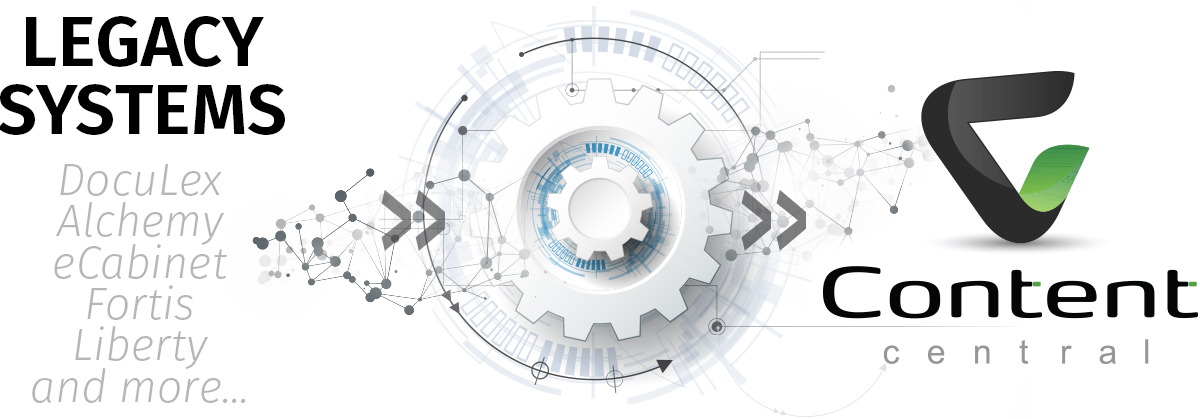
Are you looking for a way out of your old or retired document management system?
Check out our Legacy DMS Conversion Program!
Meeting Compliance with Content Central
Whether you handle protected health information, (ePHI), sensitive financial records, or student records – meeting compliance with your document management software is probably at the forefront of your mind.
But you might be asking yourself, “How can I be compliant?” – WE CAN HELP!
Document Management Software
Intuitive Design | Powerful Features

Access with any web browser

Easy user interface & navigation
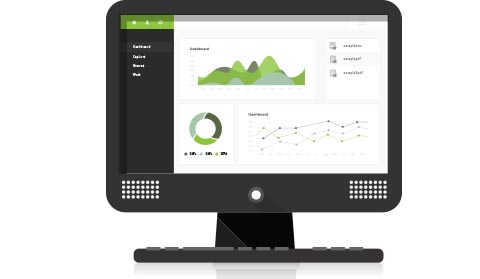
Customizable dashboard

Collaborate and share
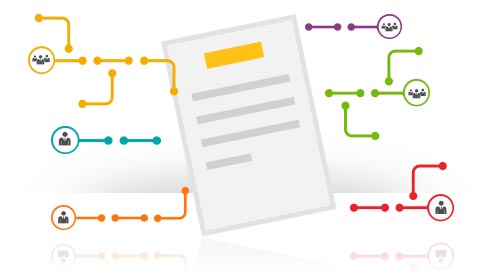
Send documents with workflows

Route documents for coding

Create and capture forms

Audit with document history

Easily set security permissions
See Why Customers Love Ademero
Ademero software solutions have been implemented for the last 2 decades to countless customers across nearly every industry around the globe. See how our solutions helped these customers improve their businesses, then contact us to see how you can do the same!
The reason we went with Ademero's Document Management Software was because of the non-modular structure, which baselined the price. Other companies we spoke to wanted to charge as much as 10 times the amount we ended up purchasing this system for. We did 18 months of research over 9 products and ended up going with Ademero. Content Central has truly been worth every penny.

The Topps Company
Our search for a document management system started with the need to streamline our purchase requisition system. After exploring many options, we were sold on the support and features of Ademero and the flexibility of Content Central. This software's saved us roughly $60,000 a year! Needless to say Content Central and Ademero are heroes in the eyes of our CFO!

Jay Pope
We were searching for a system that would allow us to be able to e-mail with documents attached from the application, easily send out quality documents to customers, and use the software as a database for our test reports. With Content Central we found everything we were looking for - all at a reasonable cost.

James Moses
We needed digital storage of our documents and we needed them to be organized for easy retrieval throughout multiple departments. The most useful features have been the ability to create 'hot folders' for drag-and-drop storage, (rather than having to upload the traditional way), the easy search options, and customization fields. Content Central has been a great fit for our business!

Andrea Grizzle
Our tech company recommended Content Central because we were so unhappy with our old DMS. When we saw the ease of access from a browser and how much easier it was to search for documents, we made the switch! Content Central has streamlined our document management as well as helped us to purge old files. It's all so much easier than the old system.

Kelly Parsons
We evaluated a couple of document management solutions with the primary focus being to get our existing and future HR paperwork into an electronic form so that it can be retrievable when requested by various licensing agencies. Since then we have expanded our use of Content Central to include client financial information, corporate contracts, historical progress notes, and copies of accounts payable checks.

Peter LeNeau
More than just happy customers, they're family. Contact us to speak to one of our customers from your industry.







Looking for a human touch to index your documents?
Let our experts help with our Document Indexing Service, Paige!
Need help with one of our products?
Visit our learning and support center for additional articles, product documentation, and other software resources today.