Industry Trends
Document management trends worth acting on
Ten changes in how organizations capture, route, keep and search their documents, what each one means for your team, what is overhyped, and what to do about it in the next 90 days.
Ademero Team9 min read

Most trend lists tell you what is new. This one tells you what has become practical, what it means for the people who handle documents every day, and the one thing worth doing about each. If you only have time for one section, read what to do in the next 90 days.
Ten trends worth acting on
1. Software that reads documents is now ordinary
Splitting a stack into documents, recognizing each type and pulling out the fields used to need a template per layout and a specialist to build it. Current tools learn a layout from a few examples and handle new vendors without new templates. Typing invoice numbers into a screen is becoming the exception.
Act on it: test a tool on 50 real documents from your own pile, not the vendor's demo set. Our guide to intelligent document processing explains what to look for.
2. The AI runs on your own PC or server
Capable models now run on an ordinary Windows PC or a server you own. For patient records, loan files or HR paperwork, that changes the security conversation: the documents are read where they already are, and nothing is sent to an outside service to be read.
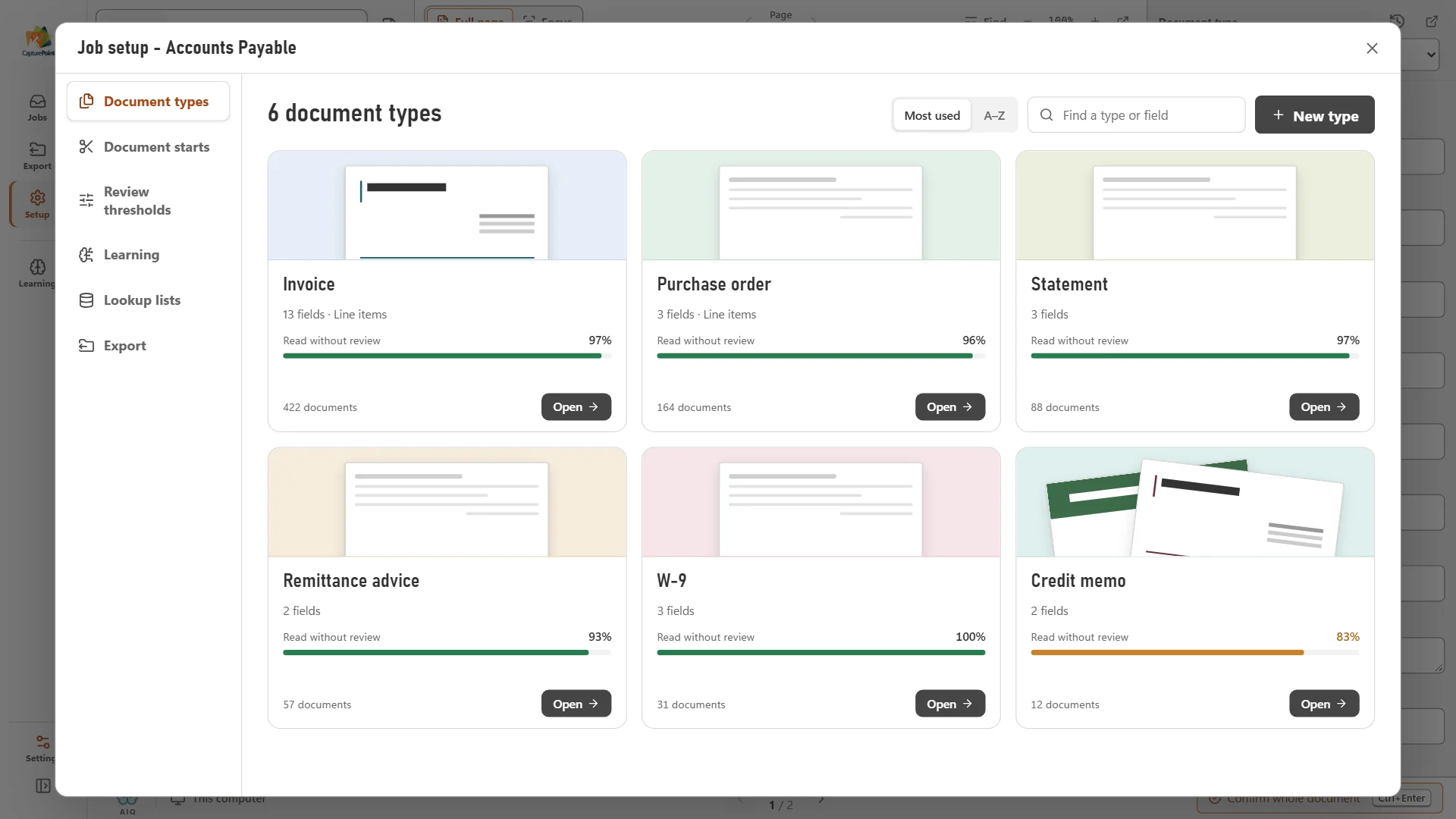
Act on it: ask every vendor exactly where documents are processed and stored, and get it in writing.
3. People review exceptions, not every document
The useful question is no longer "how accurate is it?" but "does it know when it is unsure?" Good capture software checks its own work, for example whether each invoice line's quantity times price matches its amount, and sends only the doubtful documents to a person with the reason attached.
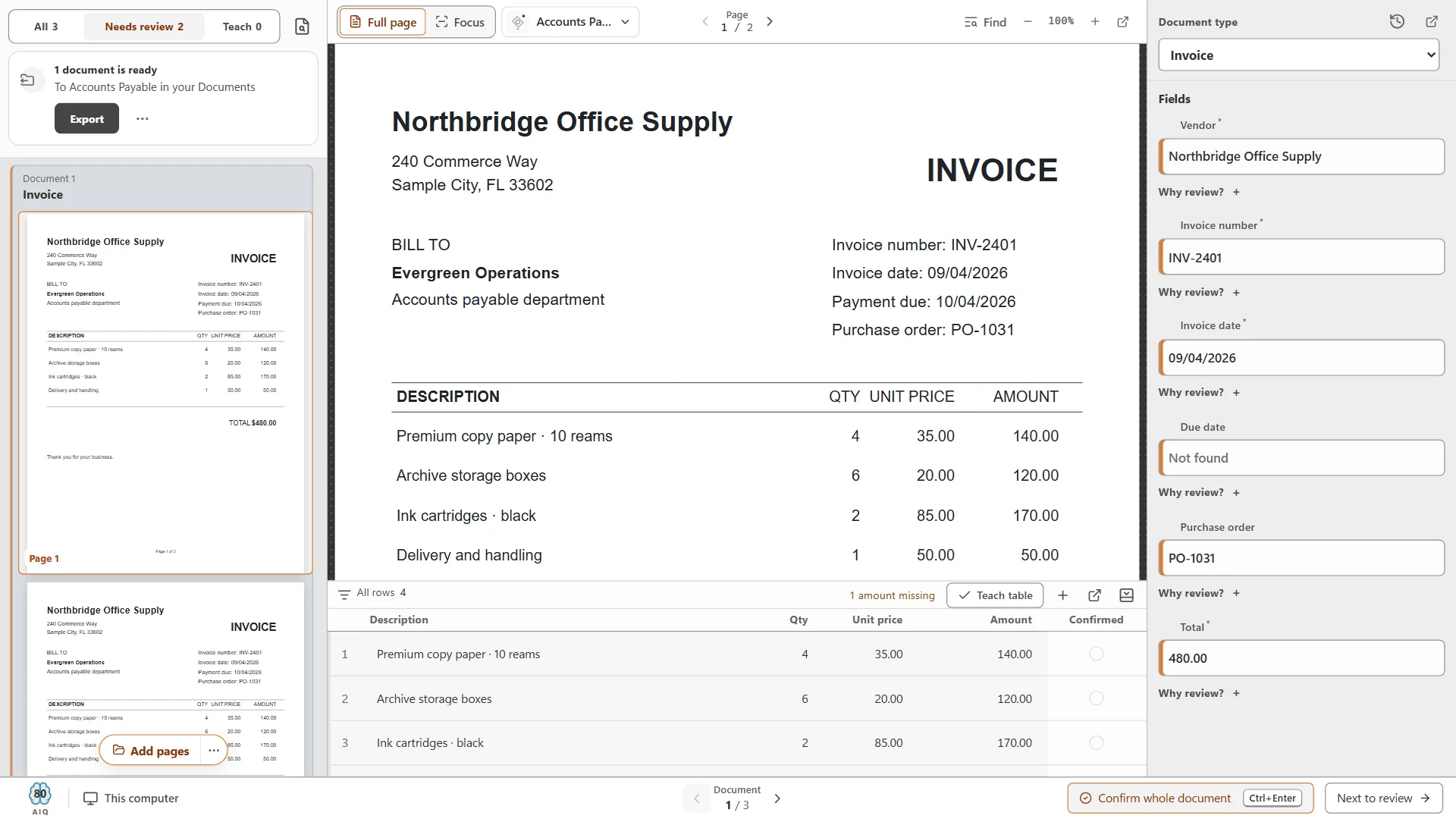
Act on it: during a trial, count how many flagged documents really needed a person, and how many errors got through without a flag. The second number matters more.
4. Line items, not just header fields
Reading the vendor, date and total is table stakes. The work that still eats AP time is the line items: quantities, unit prices and codes that have to match a purchase order.
Act on it: include multi-page, many-line invoices in any test. See invoice line item extraction.
5. Scans go straight to where people already work
Instead of a separate archive nobody opens, finished files land in SharePoint, OneDrive, Google Drive, Dropbox or a document management system, already named, in the right folder, with their data attached.
Act on it: agree on a file naming pattern before you scan another page. See automatic file naming and scan to SharePoint or OneDrive.
6. Workflow without code
Routing rules that used to need a developer are now written by the people who own the process: when an invoice arrives, if it is over a set amount, send it to a second approver, and escalate after three days. And where a step takes reading or judgment, AI can now do it inside the workflow: deciding where a document goes, looking up missing data and moving information between systems.
Act on it: write your top three approval rules on paper as "when, if, then" before you look at any tool. Our document workflow automation guide has examples.
7. Files are managed as complete sets
A loan, a new hire or a claim is not one document; it is a set. Systems now track that set as a packet and show at a glance what is still missing, instead of leaving someone to check a list by hand.
Act on it: write down the required documents for your most common file. See document packets and mortgage loan document capture for a worked example.
8. Records rules enforced by the system, not by memory
Retention schedules per document type, legal holds that stop deletion, and archival PDF/A files are moving from a policy binder into the software itself.
Act on it: give every document type a retention period. Start with our document compliance guide and searchable PDF vs PDF/A.
9. Stronger sign-in everywhere
Multi-factor sign-in and single sign-on through your directory are now expected in any system that holds sensitive documents, along with a log of who opened what.
Act on it: turn on required MFA in every document system you run, and remove shared logins.
10. Asking questions of your own documents
Generative AI can summarize long files and answer questions across a repository. The catch is that it is only as good as the documents behind it: typed, searchable and permissioned. And many organizations want it running privately, not on a public service.
Act on it: get your documents typed and searchable first. If the data has to stay in-house, look at private AI on your own servers, such as Cortexa.
What is overhyped
- Fully touchless processing. Some documents will always need a person: bad scans, handwritten notes, unusual layouts. The goal is fewer touches and clear reasons, not zero.
- "AI replaces document management." Reading a document is one step. You still need permissions, retention, approvals and an audit trail.
- Accuracy percentages on a sales slide. They are measured on someone else's documents. Only your own sample tells you anything.
- One-click migrations. Moving years of documents works best in planned stages, with index data checked along the way.
What to do in the next 90 days
- 01
Pick one pile
The highest-volume document your team still types by hand, usually vendor invoices. - 02
Pull a real sample
50 to 100 documents, including the ugly ones, and write down the fields you need from each. - 03
Measure today
Minutes per document, how often values are wrong, and days from arrival to approval. - 04
Trial a tool on it
Count corrections, flags and errors that got through, and compare to your baseline. - 05
Write the rules
File naming, folders, retention period and the approval route for that one document type. - 06
Roll out, then pick the next pile
Purchase orders, claims, onboarding packets: the same steps each time.
Free live demo
See the newest of these trends working on your documents.
Book a free demo and we will show you around, answer your questions and run your real paperwork through it. No cost, no pressure.
- A live tour of the products that fit your work
- Your own documents, set up and shown working
- Your workflow and process, mapped with you
- Straight answers from people who build it
