Ademero services
Up and running fast, with people who know the product.
New document software should not turn into a year-long project. Our team sets it up, moves your files in, connects your systems, trains your people and stays with you after go-live.
Content Central goes live in 30 days. Every engagement is scoped and quoted up front.
What we do
Six services, one team behind all of them.
Pick the part you need, or let us carry the whole rollout. Here is what each one actually involves.
01Implementation
Content Central, live in 30 days
We set up Content Central in the cloud or install it on your own servers with your IT team, then shape it around the way you already file and approve things. Go-live in 30 days is a commitment, not a hope.
What actually happens
- Plan: we learn your documents, folders, approvals and who needs access, and agree the go-live date
- Set up: folders, index fields, capture, permissions and workflows, configured for your process
- Sign-in with Active Directory or SAML, multi-factor sign-in, retention rules and legal holds from day one
- Bigger rollouts are planned in phases, with the dates for each one agreed up front
02Migration
Bring every file with you
Years of documents should not stay stuck in the old system. We move them across with their index data, so people can search them on day one.
What actually happens
- We map where your documents live today: file shares, scanned archives or the system you use now
- Documents and their index data come across into the right catalogs and document types
- You check the results with us before anyone switches over
- Moving to Nucleus One later? Content Central can move documents across and check each one arrived
03Integrations
Connected to the systems you run
Approved documents and their data go straight to the next system, so nobody retypes them.
What actually happens
- Accounting and ERP exports: QuickBooks Online and Desktop, Sage 50 (US and Canada), Sage X3, Workday and Epicor
- Microsoft Dynamics CRM activity records, and lookups from any ODBC database
- Email capture from Microsoft 365, Gmail or any IMAP mailbox
- API connections for document delivery and lookup, including from CapturePoint 6
04Training
People who use it on day one
Live, hands-on sessions on your own documents and workflows, so the new way sticks and nobody drifts back to the old one.
What actually happens
- Everyday users: capture, search, versions, approvals and the shortcuts that save time
- Administrators: document types, permissions, sign-in, retention and workflows
- Scanning stations: CapturePoint 6 set up on your PCs and taught your document types
- Free how-to guides at help.ademero.com for new hires and refreshers
05Support
Real people who know the product
After go-live, our support team works next to the people who build the products.
What actually happens
- Phone: (863) 937-0272, toll-free 1-888-276-2914
- Email: support@ademero.com
- Hours: 8 AM to 8 PM Eastern, Monday to Friday
- The support portal for requests, and how-to guides at help.ademero.com any time
06AI services
AI on your own documents
When off-the-shelf is not enough, the people who plan your AI project build it, connect it, train your team and support it after go-live.
What actually happens
- You see it work on your own paperwork first
- Built on AI that already works: CapturePoint 6 on your PC, Paige in the cloud or Cortexa on your servers
- Connected to the systems you already run
- Every AI project is scoped with you and quoted up front
Set up around you
Your folders, your rules, your workflows.
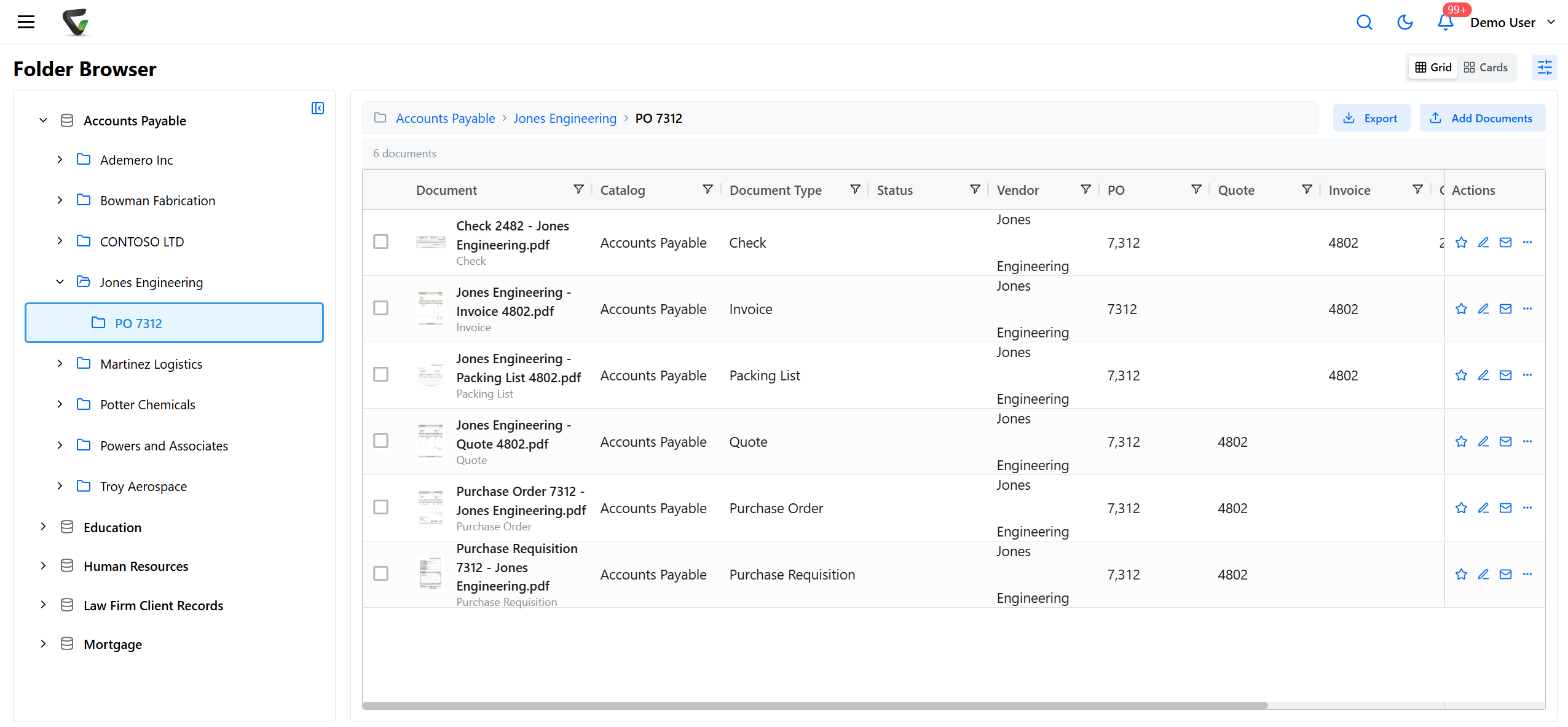
We build Content Central around the way your organization already files and approves things, so it feels familiar on day one. Capture from scanners, email and watched folders, full-text search, approvals, permissions and an audit trail, all configured for you.
- Folders and index fields that match your records
- Approvals and routing that follow your process
- Active Directory and SAML sign-in, with MFA
CapturePoint 6 · local AI on your PC
Start with scanning that sets itself up.
CapturePoint 6 runs cutting-edge local AI on your own Windows PC. It splits, sorts, reads and names every document, then sends it to Content Central, Nucleus One, SharePoint, OneDrive, Google Drive or Dropbox.
How it works
Four steps to go-live.
- 01
Talk it through
Show us your documents, where they live today and who touches them.
- 02
Plan the setup
We map folders, capture, permissions and workflows with you, and agree the date.
- 03
Set up and move in
We configure the system, connect your tools and bring your existing files across.
- 04
Train and go live
Your people learn it on their own documents, and we stay close after launch.
Before we start
What to have ready.
Thirty days is realistic when these are lined up on the first call. None of it needs to be perfect, just known.
- 01A project lead who can make decisions and sign off the setup.
- 02Someone from IT for sign-in, the network and, for an on-premises install, the server.
- 03A few people from each department to show us how documents move today, and to test before go-live.
- 04A handful of real sample documents for each document type you file.
- 05A list of the systems you want connected, such as your accounting software or mailboxes to capture from.
- 06Where your existing files live, so the move can be planned.
- Trusted by 1,000+ organizations since 2002
- Fortune 500 companies and government agencies renew every year
- Partners across the US and abroad
What people ask before they start.
How fast can we be up and running?
Content Central goes live in 30 days. That covers planning, setup, moving your documents in, training and go-live. CapturePoint 6 needs no project at all: download it and the free trial starts the first time you open it.
What do services cost?
Every engagement is scoped with you and quoted up front, based on your documents, your systems and how many people and departments are involved. Tell us what you need and we will put a clear quote in front of you.
Can you move our documents from the system we use now?
Yes. Tell us what you use today and where your documents live. We map out the move with you, bring your documents and their index data across, and check them with you before you switch over.
Do you work with partners?
Yes. Many customers work with an Ademero partner near them for installation, training and first-line help, with our team behind them. We can introduce you, or work with you directly.
How do we reach support after go-live?
Call (863) 937-0272 (toll-free 1-888-276-2914) or email support@ademero.com, Monday to Friday, 8 AM to 8 PM Eastern. The how-to guides at help.ademero.com and the support portal are there any time.
Free live demo
See how your rollout would look.
Book a free demo and we will show you around, answer your questions and run your real paperwork through it. No cost, no pressure.
- A live tour of the products that fit your work
- Your own documents, set up and shown working
- Your workflow and process, mapped with you
- Straight answers from people who build it
