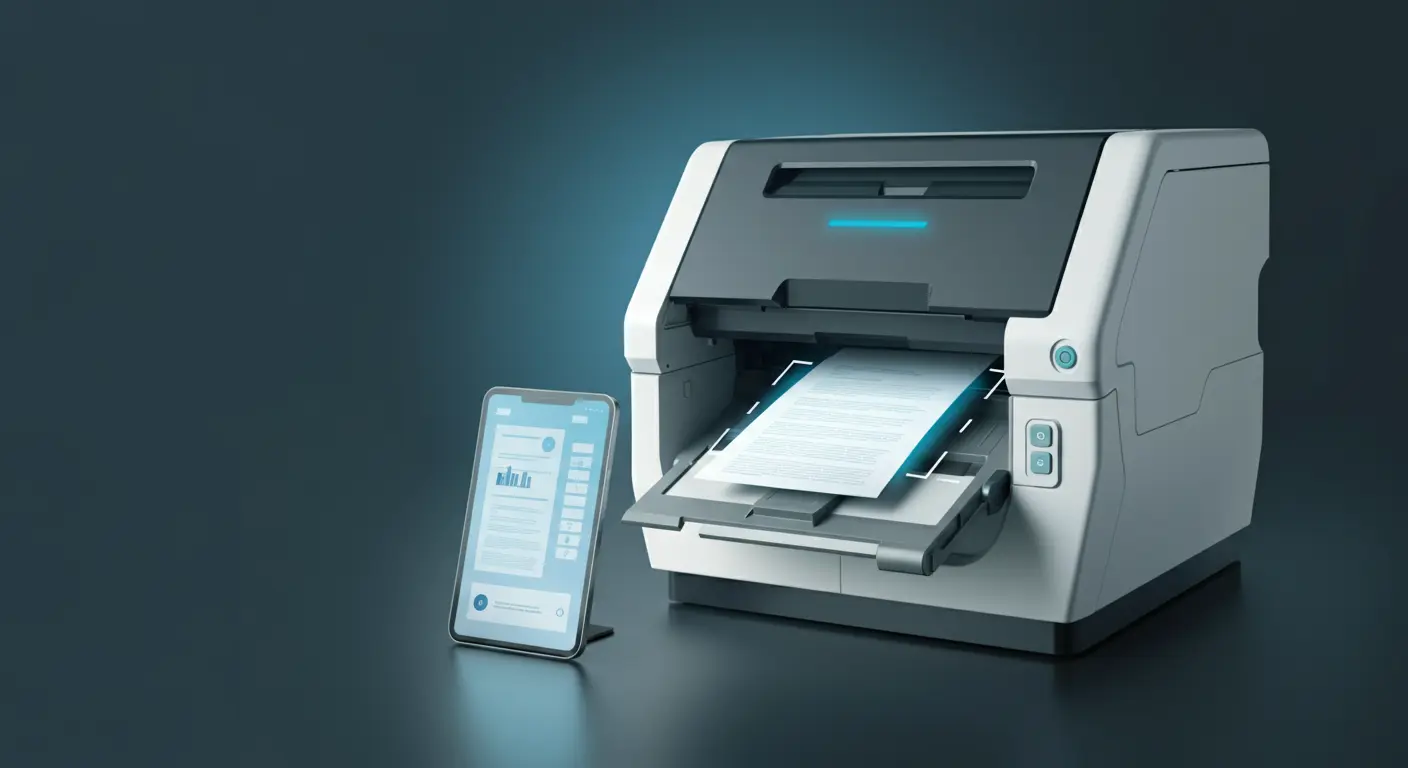
Document Scanning and OCR Technology: Complete Guide to Digital Document Capture
Document scanning and OCR technology form the foundation of digital transformation. Learn how to achieve 99%+ accuracy rates and transform your paper documents into intelligent, searchable digital assets.
Rebecca Chen
Document Technology Specialist
Document scanning and Optical Character Recognition (OCR) technology have revolutionized how organizations handle information. Modern OCR systems achieve accuracy rates exceeding 99%, transforming static paper documents into searchable, editable, and actionable digital assets. This comprehensive guide covers everything you need to know about implementing effective document scanning and OCR solutions.
What Are Document Scanning and OCR?
Document scanning converts paper to digital images; OCR extracts searchable text, achieving 99%+ accuracy and 85% faster retrieval.
Document scanning is the process of converting physical documents into digital images, while OCR technology extracts text from those images to create searchable, editable content. Together, they form the foundation of digital document management and paperless office initiatives.
Technology Impact:
Modern OCR technology processes over 200 billion pages annually worldwide, with accuracy rates reaching 99.8% for high-quality documents. Organizations implementing comprehensive scanning and OCR solutions report 85% reduction in document retrieval time and 70% improvement in data accessibility.
The Document Capture Workflow
End-to-End Process
- 1. Document Preparation: Sort, remove staples, check quality
- 2. Scanning: Convert to digital images with optimal settings
- 3. Image Enhancement: Improve quality for better OCR results
- 4. OCR Processing: Extract text and data from images
- 5. Quality Assurance: Verify accuracy and correct errors
- 6. Classification: Categorize documents by type and content
- 7. Indexing: Add metadata for search and retrieval
- 8. Storage: Archive in document management system
What Are the Different Types of Document Scanners?
Four main types: production (100-300+ ppm, $50K+), departmental (40-100 ppm), workgroup (25-60 ppm), and desktop (10-40 ppm, from $200).
High-Volume Production Scanners
🏭 Production Scanners
- • 100-300+ pages per minute
- • Heavy-duty daily cycles (50K+ pages)
- • Advanced paper handling
- • Automatic document feeding
- • Duplex scanning capability
- • Multiple output formats
Best for: Large-scale digitization projects, service bureaus
Price Range: $50K - $200K+
🏢 Departmental Scanners
- • 40-100 pages per minute
- • Medium daily cycles (5K-20K pages)
- • Reliable performance
- • Network connectivity
- • Basic image enhancement
- • Integration capabilities
Best for: Department-level scanning, ongoing digitization
Price Range: $5K - $25K
Workgroup and Desktop Scanners
👥 Workgroup Scanners
- • 25-60 pages per minute
- • Moderate daily cycles (1K-5K pages)
- • Compact design
- • Easy operation
- • Basic OCR included
- • Cloud connectivity
Best for: Small teams, distributed scanning
Price Range: $1K - $8K
🖥️ Desktop Scanners
- • 10-40 pages per minute
- • Light daily cycles (100-1K pages)
- • Personal use focus
- • USB connectivity
- • Software bundle included
- • Portable options available
Best for: Individual users, occasional scanning
Price Range: $200 - $2K
Specialized Scanning Solutions
Mobile and Portable Scanners
- Smartphone Scanning: Apps with advanced image processing
- Portable Sheet-fed: Battery-powered, travel-friendly
- Handheld Scanners: Wand-style for special documents
- Book Scanners: Overhead design for bound materials
Large Format Scanners
- Wide Format: Engineering drawings, maps, posters
- Planetary Scanners: Fragile or oversized materials
- Microfilm Scanners: Legacy microfilm conversion
- Photo Scanners: High-resolution image digitization
How Does OCR Technology Work?
OCR uses a 6-step pipeline: preprocessing, layout analysis, character segmentation, feature extraction, classification, and post-processing.
How OCR Works
Modern OCR systems use sophisticated algorithms combining pattern recognition, machine learning, and contextual analysis:
OCR Processing Pipeline
- 1. Preprocessing: Image cleanup, noise reduction, skew correction
- 2. Layout Analysis: Identify text regions, columns, graphics
- 3. Character Segmentation: Isolate individual characters
- 4. Feature Extraction: Analyze character shapes and patterns
- 5. Classification: Match patterns to character database
- 6. Post-processing: Dictionary lookup, spell checking, formatting
Types of OCR Technology
| OCR Type | Technology | Accuracy | Best Use Cases |
|---|---|---|---|
| Traditional OCR | Pattern matching | 95-98% | Clean, typed documents |
| ICR (Intelligent) | Machine learning | 90-95% | Handwritten text |
| Advanced OCR | Deep learning | 98-99.5% | Complex layouts, poor quality |
| Zonal OCR | Template-based | 99%+ | Forms, structured documents |
Factors Affecting OCR Accuracy
✅ Factors That Improve Accuracy
- • High-resolution scanning (300+ DPI)
- • Clean, crisp text
- • Standard fonts and sizes
- • Good contrast and lighting
- • Straight text alignment
- • No background patterns
- • Quality paper condition
❌ Factors That Reduce Accuracy
- • Low resolution (below 200 DPI)
- • Faded or light text
- • Unusual fonts or handwriting
- • Poor contrast
- • Skewed or rotated text
- • Background noise or patterns
- • Damaged or degraded documents
Advanced OCR Capabilities
Intelligent Document Processing (IDP)
Modern OCR systems incorporate AI and machine learning for enhanced capabilities:
- Layout Understanding: Recognize document structure and format
- Context Analysis: Use surrounding text to improve accuracy
- Multi-language Support: Process documents in 100+ languages
- Adaptive Learning: Improve accuracy based on corrections
- Confidence Scoring: Identify uncertain recognition results
Specialized Recognition Capabilities
📊 Form Processing
- • Checkbox recognition
- • Table extraction
- • Field-level validation
- • Template matching
- • Dynamic form handling
🏦 Financial Documents
- • Check processing (MICR)
- • Invoice data extraction
- • Receipt processing
- • Bank statement parsing
- • Currency recognition
🆔 ID Document Recognition
- • Driver's license parsing
- • Passport data extraction
- • ID card processing
- • Barcode/QR code reading
- • Photo extraction
✍️ Handwriting Recognition
- • Cursive text recognition
- • Print handwriting
- • Signature verification
- • Notes and annotations
- • Multi-language handwriting
What Are the Best Practices for Document Scanning?
Use 300-400 DPI for text, remove staples and clips, ensure proper alignment, and implement systematic quality control with 5-step verification.
Pre-Scanning Preparation
Document Preparation Checklist
- □ Remove all staples, clips, and binders
- □ Flatten folded or curled pages
- □ Sort documents by size and type
- □ Check for tears or damage
- □ Clean any dirt or smudges
- □ Separate different paper weights
- □ Remove sticky notes and labels
- □ Verify page count and order
Optimal Scanning Settings
| Document Type | Resolution (DPI) | Color Mode | File Format |
|---|---|---|---|
| Text documents | 300-400 | Black & White | PDF, TIFF |
| Forms with text | 300-600 | Grayscale | PDF, TIFF |
| Documents with images | 300-600 | Color | PDF, JPEG |
| Photos/artwork | 600-1200 | Color | JPEG, TIFF |
| Archive/preservation | 600+ | Color/Grayscale | TIFF, PDF/A |
Quality Control Process
Implement systematic quality control to ensure optimal results:
-
1. Image Quality Review:
Check for proper exposure, focus, and orientation
-
2. OCR Accuracy Verification:
Sample check recognition results against originals
-
3. Metadata Validation:
Verify document classification and indexing
-
4. Completeness Check:
Ensure all pages were captured and processed
-
5. Exception Handling:
Process documents that failed automatic recognition
OCR Software Solutions
Enterprise OCR Platforms
🏢 Enterprise Solutions
- • High-volume processing (millions of pages)
- • Advanced workflow integration
- • Custom template creation
- • Multi-language support
- • Enterprise security features
- • API and SDK access
Examples: ABBYY FlexiCapture, Kofax Capture
☁️ Cloud-Based OCR
- • Scalable processing power
- • Pay-per-use pricing
- • Automatic updates
- • API integration
- • Mobile app support
- • Machine learning capabilities
Examples: Google Cloud Vision, Azure Cognitive Services
Desktop and Specialized OCR
🖥️ Desktop OCR
- • Individual or small team use
- • Bundled with scanners
- • Basic editing capabilities
- • Multiple output formats
- • Affordable licensing
- • Easy-to-use interface
Examples: Adobe Acrobat, ABBYY FineReader
📱 Mobile OCR
- • Smartphone camera capture
- • Real-time processing
- • Business card scanning
- • Receipt processing
- • Cloud integration
- • Offline capabilities
Examples: CamScanner, Office Lens, Adobe Scan
Implementation Planning
Needs Assessment
Evaluate your requirements before selecting scanning and OCR solutions:
Assessment Framework
Volume and Scale
- • Daily/monthly page volumes
- • Number of users and locations
- • Peak processing requirements
- • Growth projections
Document Characteristics
- • Document types and sizes
- • Quality and condition
- • Languages and fonts
- • Complexity and layout
Accuracy Requirements
- • Acceptable error rates
- • Quality control needs
- • Manual verification requirements
- • Compliance standards
Integration Needs
- • Existing system connections
- • Workflow requirements
- • Output format preferences
- • Security and compliance
ROI Calculation
Calculate the return on investment for scanning and OCR implementation:
Reduction in document processing time
Improvement in data accuracy
Average annual savings per 1000 employees
How Do You Troubleshoot Common OCR Issues?
For low accuracy: increase to 400-600 DPI, clean scanner glass, use image enhancement. For slow processing: optimize settings and use batch mode.
OCR Accuracy Problems
Problem: Low Recognition Accuracy
OCR results contain many errors or missing text.
Solutions:
- • Increase scan resolution (try 400-600 DPI)
- • Improve document quality before scanning
- • Use image enhancement features
- • Try different OCR engines
- • Create custom templates for forms
Problem: Poor Image Quality
Scanned images are blurry, dark, or distorted.
Solutions:
- • Clean scanner glass and document feeder
- • Adjust brightness and contrast settings
- • Use automatic image enhancement
- • Check document placement and alignment
- • Verify scanner calibration
Problem: Slow Processing Speed
Scanning and OCR processing takes too long.
Solutions:
- • Optimize scan settings for document type
- • Use batch processing capabilities
- • Upgrade hardware or software
- • Implement parallel processing
- • Consider cloud-based solutions
Workflow Integration Challenges
- File Format Compatibility: Use standardized formats like PDF/A or TIFF
- System Integration: Implement robust APIs and connectors
- Metadata Management: Establish consistent naming and classification
- Quality Control: Build verification steps into automated workflows
Future Trends in Scanning and OCR
Emerging Technologies
AI-Powered OCR
Deep learning models that understand context and improve automatically
Mobile-First Capture
Smartphone cameras replacing traditional scanners for many use cases
Real-Time Processing
Instant OCR processing as documents are captured
Advanced Capabilities on the Horizon
- Multimodal Understanding: Combining text, images, and layout analysis
- Zero-Shot Learning: OCR that works without training on specific document types
- Augmented Reality: Real-time text overlay and translation
- Edge Computing: On-device processing for privacy and speed
- Blockchain Verification: Immutable proof of document authenticity
Security and Compliance Considerations
Data Security
Protect sensitive information throughout the scanning and OCR process:
Security Best Practices
- ✓ Encrypt documents during transmission and storage
- ✓ Implement access controls and user authentication
- ✓ Use secure communication protocols (HTTPS, SFTP)
- ✓ Maintain audit trails of all processing activities
- ✓ Regularly update software and security patches
- ✓ Conduct security assessments and penetration testing
- ✓ Train staff on security procedures and protocols
Compliance Requirements
- HIPAA: Protect patient health information during processing
- GDPR: Ensure data subject rights and privacy protection
- SOX: Maintain financial document integrity and controls
- FDA 21 CFR Part 11: Electronic records and signatures validation
Cost-Benefit Analysis
Implementation Costs
| Component | Small Business | Medium Enterprise | Large Enterprise |
|---|---|---|---|
| Scanner Hardware | $500 - $3K | $5K - $25K | $50K - $200K |
| OCR Software | $200 - $2K | $10K - $50K | $100K - $500K |
| Implementation | $1K - $5K | $25K - $100K | $200K - $1M |
| Training | $500 - $2K | $5K - $25K | $50K - $200K |
Ongoing Benefits
- Labor Cost Savings: 60-80% reduction in manual data entry
- Faster Processing: 10x improvement in document processing speed
- Improved Accuracy: 90%+ reduction in data entry errors
- Space Savings: Eliminate physical storage requirements
- Better Compliance: Automated audit trails and retention
Getting Started: Implementation Roadmap
90-Day Implementation Plan
Days 1-30: Assessment and Planning
- • Conduct document volume and type analysis
- • Define accuracy and performance requirements
- • Evaluate scanner and OCR technology options
- • Develop business case and secure funding
- • Create project timeline and resource plan
Days 31-60: Procurement and Setup
- • Purchase hardware and software solutions
- • Install and configure scanning equipment
- • Set up OCR software and workflows
- • Conduct pilot testing with sample documents
- • Train initial user group
Days 61-90: Deployment and Optimization
- • Roll out to production environment
- • Monitor performance and accuracy metrics
- • Fine-tune settings and workflows
- • Expand training to all users
- • Document procedures and best practices
Conclusion
Document scanning and OCR technology represent foundational investments in digital transformation. When implemented with proper planning, quality equipment, and attention to best practices, these technologies deliver immediate and sustained benefits in efficiency, accuracy, and accessibility.
The key to success lies in matching technology capabilities to business requirements, implementing proper quality control processes, and continuously optimizing performance based on real-world usage patterns. As AI and machine learning continue to advance, OCR technology will become even more powerful and accessible.
Success Factor:
The most successful scanning and OCR implementations focus on workflow integration and user experience, not just technical specifications. Start with clear business objectives and build solutions that make users more productive.
Ready to Transform Your Documents?
Our document capture experts can help you select the right scanning and OCR solutions for your specific requirements, ensuring optimal accuracy and integration with your existing systems.
Schedule a Document Capture AssessmentReady to Start Your Digital Transformation?
See how Ademero can help you modernize your business processes and achieve your digital goals.