Content Central features
Every Content Central feature, in the cloud or on your servers.
Capture, index, search, route, sign, keep and audit. Here is every part of Content Central, shown on the real product.
Quoted for your setup. Live in 30 days.
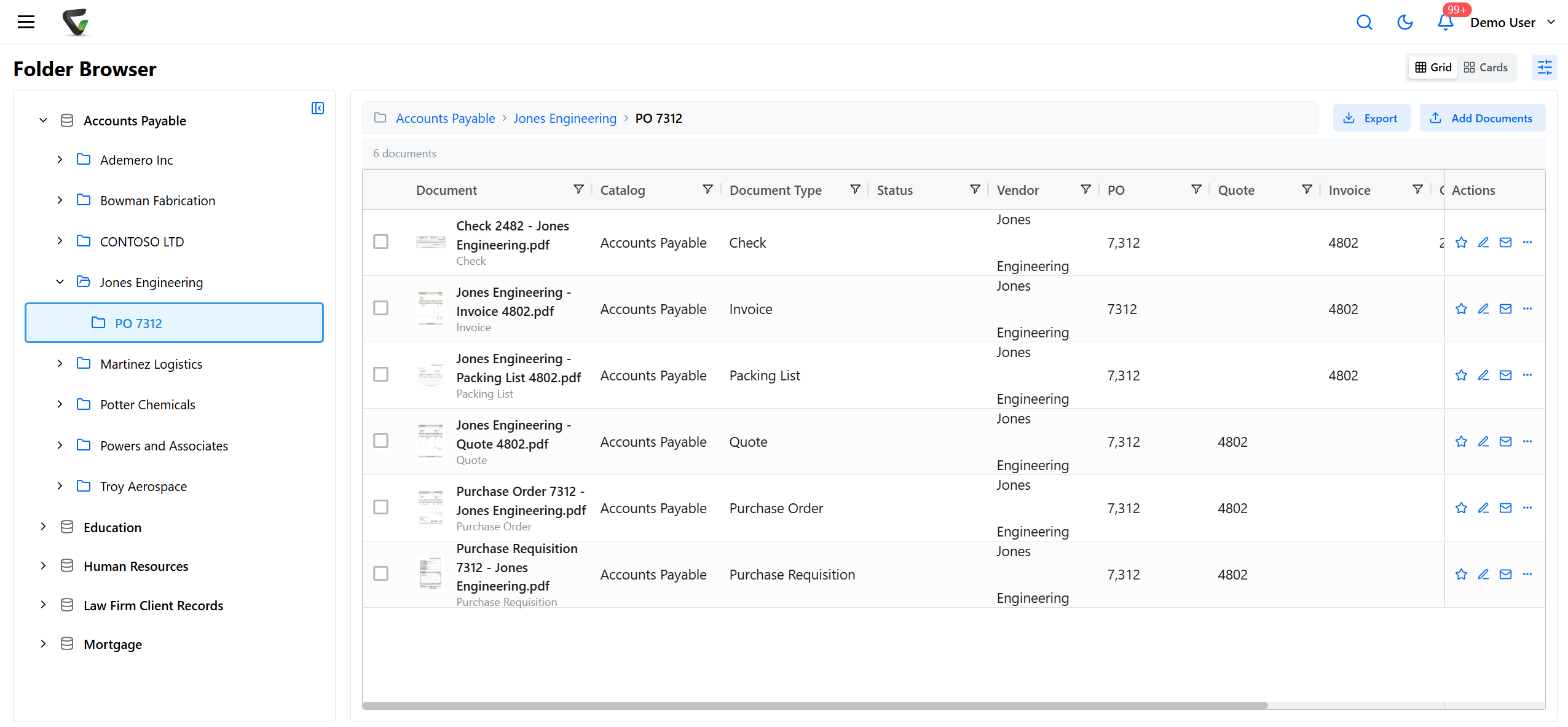
A shared drive stores files. Your business runs on documents.
Files named by whoever saved them.
Documents are filed by their data, into folders Content Central builds.
Approvals live in email threads.
Workflows route, remind and record every decision.
No one can say who changed what.
Versions and a full audit trail on every document.
Capture
However documents arrive, they land in one place.
Paper, email and electronic files all come into the same catalogs, indexed the same way.
- Scan from any desktop scanner, with zonal reading of index values
- Barcode cover sheets that split and file whole batches
- Email capture from Microsoft 365, Gmail or any IMAP mailbox
- Watched folders, drag and drop, and fillable capture forms
Search
Find any document in seconds.
Search the words inside every document, scans included, or filter by any index field, catalog and document type.
- Full-text search across every catalog
- Field search and saved filters
- Results scoped by each person’s permissions
Workflow
Approvals that run themselves.
Pair a trigger with actions and Content Central routes the document, notifies the right people and records every step.
- Multi-step approvals with group voting
- Work queues, reminders and substitutes
- Scheduled rules, reports and electronic signatures
Control
Every document under your rules.
Permissions down to the field
Who can view, edit, print, annotate or delete, by catalog, document type and single fields.
A complete audit trail
Every action on every document is recorded, with an event viewer for admins.
Versions and check-out
Major and minor versions, check-in and check-out, and editing from the desktop.
Retention and legal holds
Keep each document type as long as policy says, and hold records when a matter requires it.
Secure sharing
Share a document outside the company with a short link you control.
Sign in with your directory
Active Directory across multiple domains, SAML single sign-on and authenticator-app MFA.
Administration
Run it your way.
Users, groups, catalogs, document types and workflows, set up from one administration home, in the cloud or on your own Windows servers and SQL Server, and connected to the systems you already run.
- QuickBooks Online and Desktop
- Sage 50 and Sage X3
- Workday
- Epicor
- Microsoft Dynamics CRM
- CapturePoint 6 and Nucleus One
CapturePoint 6 · local AI on your PC
Scanning a lot of paper? Let CapturePoint 6 read it first.
CapturePoint 6 runs cutting-edge document AI on your own Windows PC. It splits the stack, reads every field and line item, and files each document into Content Central.
Free live demo
See every feature on your own documents.
Book a free demo and we will show you around, answer your questions and run your real paperwork through it. No cost, no pressure.
- A live tour of the products that fit your work
- Your own documents, set up and shown working
- Your workflow and process, mapped with you
- Straight answers from people who build it
