Document security best practices: what to fix first
Most document leaks are not clever. A shared login, a folder everyone can open, an attachment sent to the wrong Jen. Here are the controls that stop those, in the order to put them in, worked through on one company.
Ademero Team6 min read

Security advice for documents usually arrives as a list of fifty controls. This guide is shorter on purpose. It covers the six things that prevent most real document incidents in a small or mid-sized organization, in the order to do them, and then walks through one company putting them in place. It is written for the office manager, IT lead or controller who has been asked to “lock down the shared drive”.
Where document incidents actually come from
- Shared or reused logins. One password for the scanner PC, the AP inbox or “frontdesk”.
- Folders open to everyone. Payroll and HR files on a drive mapped for the whole company.
- Attachments. A file emailed to the wrong person is a copy you can never take back.
- Phishing. A convincing sign-in page that collects a password.
- Former staff. Accounts that still work weeks after someone has left.
- Keeping everything forever. A document you no longer need can still leak.
The six controls, in order
1. One person, one account, with a second factor
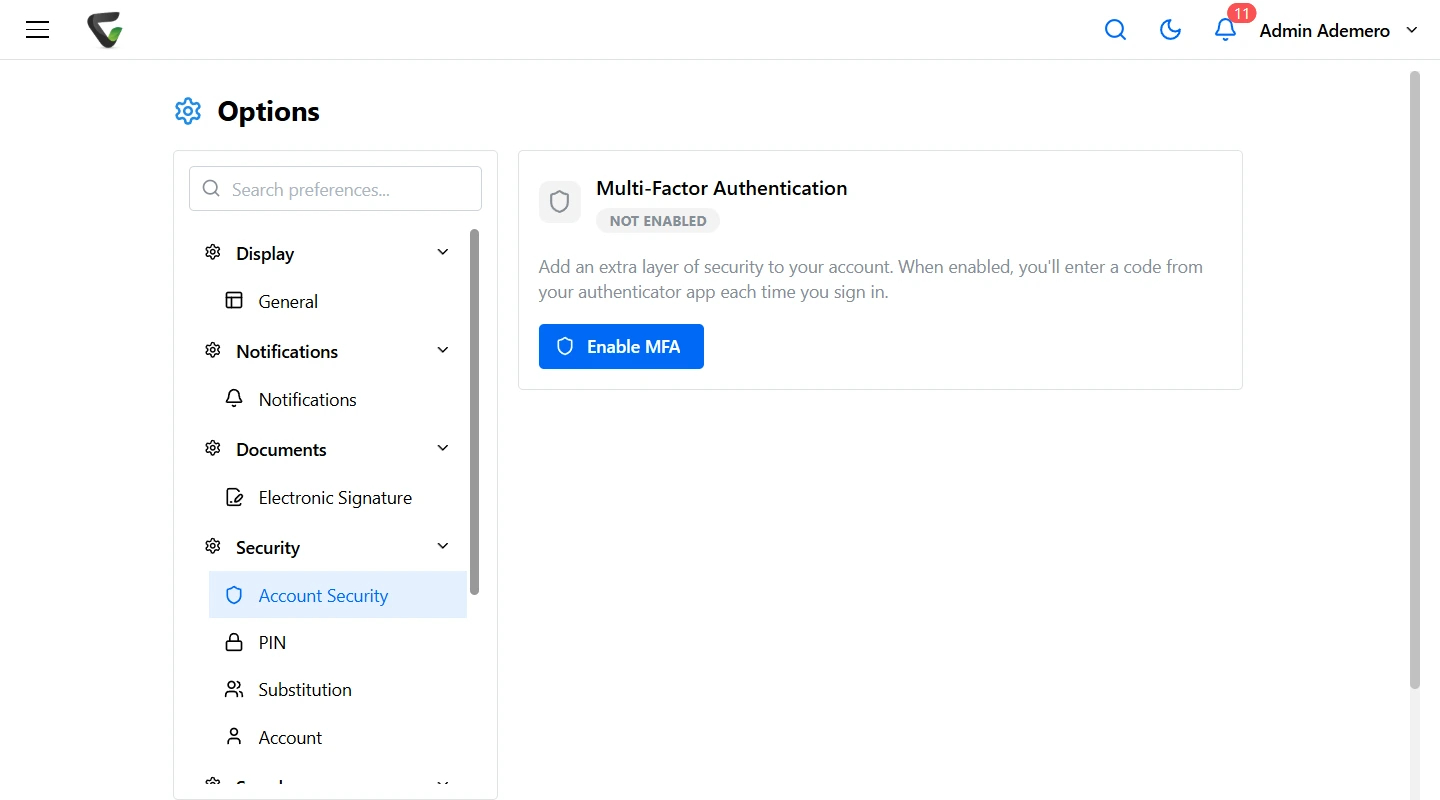
Every person signs in as themselves, and every account needs a second factor. An authenticator app on a phone is the practical default: much stronger than a password alone and stronger than text-message codes, which can be intercepted by moving a phone number to a new SIM. Where your company already has a directory, sign in through it, so turning off one account on someone’s last day turns off everything.
2. Access by document type, not by folder
Folder permissions drift. Someone saves an offer letter in the wrong place and it inherits the wrong rights. Set access on the kind of document instead: invoices, offer letters, performance reviews, contracts. Every new document of that type gets the same rules wherever it is filed. Then narrow it where the job requires: a branch manager sees their own branch, a counselor their own students.
3. Separate looking from doing
Most people need to view. Far fewer need to download, edit, share or delete. Give each right on its own, and keep delete rights to a small named group. A person who can view a contract but not download it cannot email a copy.
4. Share a link that expires, not an attachment
When a document has to leave the building, share access that ends on a date, or send it in a password-protected file with the password by a different channel. Either way, the share is recorded.
5. Keep a log, and read it
A useful audit log answers four questions about any document: who opened it, when, from where, and what they did with it. Pick three things to review on a schedule, for example downloads of HR documents, deletions, and sign-ins from unusual places. A log nobody reads only helps after the fact.
6. Keep documents only as long as you must
Set a retention period for each document type and let the system dispose of what has expired, with a way to hold anything that is part of a dispute. See our guide to document retention policies.
Worked example: one company, one week
A 60-person distributor keeps everything on a file server: an Accounting share, an HR share and a Scans folder the scanner drops PDFs into. Everyone in the office can open all three. Here is how the IT lead and the controller fixed it with Content Central, which they run on their own server.
| Day | What they did | Why |
|---|---|---|
| Monday | Connected sign-in to Active Directory and required authenticator-app MFA for every user. Retired the shared “scanner” login. | Every action is now tied to a person, and a stolen password alone is not enough. |
| Tuesday | Created document types: Vendor Invoice, Purchase Order, W-9, Offer Letter, I-9, Performance Review, Contract. | Permissions and retention attach to the type, so they follow every new document. |
| Wednesday | Set permissions per type and group. AP can view and edit invoices but not delete them. Only HR can view I-9s and reviews, and downloads of reviews are off for everyone but the HR manager. | Least privilege, with looking separated from doing. |
| Thursday | Turned on Require Reason for Access for Performance Review and I-9. Limited contracts by a Region field so each regional manager sees their own. | Sensitive files now ask why before they open, and the answer is kept. |
| Friday | Set retention: invoices and POs seven years by company policy, I-9s per the federal rule, reviews per HR policy. Moved the old shares to read-only and pointed the scanner at Content Central. | Old copies stop multiplying, and expired documents leave on schedule. |
The following Monday, the controller opened the event log and filtered on the HR document types. Two people had opened performance reviews, both in HR, both with a reason recorded. That five-minute check is now on her calendar every month.
Scanning is part of security
A scanner that emails PDFs to a shared inbox, or drops them in an open folder, undoes the work above. Send scans straight into the system that holds the permissions, already named and typed. CapturePoint 6 reads and sorts scanned pages on the PC next to the scanner and can send each finished document straight to Content Central, so an I-9 is an I-9 with HR-only access from the moment it is scanned.
When something does go wrong
- Contain: disable the account, remove the share, change the password that leaked.
- Scope: use the log to list exactly which documents were opened or downloaded, and by whom.
- Decide on notice: personal, health and financial data can trigger legal notification duties. Bring in counsel early.
- Recover: restore from a backup you have tested. Keep at least one copy offline or offsite, out of reach of ransomware.
- Fix the cause: the permission, the habit or the missing second factor that let it happen.
A one-page checklist
- No shared logins anywhere, including scanners and service mailboxes.
- MFA required for every account.
- Permissions set per document type, reviewed twice a year.
- Download, share and delete rights given separately and sparingly.
- Outside sharing by expiring link or protected file, never plain attachments.
- Three log checks on a calendar.
- Retention per document type, with legal holds possible.
- Accounts disabled the day someone leaves.
- Backups restored once a quarter to prove they work.
How Content Central covers this
Content Central runs in the cloud or on your own servers, your choice. Sign-in works with Active Directory or SAML single sign-on, and admins can require authenticator-app MFA for everyone. Permissions are set per document type and field, can be limited by a field value, and separate view, search, download, add, edit, share and delete. Require Reason for Access asks why before sensitive documents open. Documents can be shared with an outside person with an expiration, or emailed as password-protected files. The event log records sign-ins with IP address, searches, views, downloads, deletions and emails, and every document keeps its own version history. Retention runs per document type, with legal holds. Fortune 500 companies and government agencies run on Ademero, and their security teams review us every year.
Step-by-step help:
