Law firms · firm administrators and litigation staff
The matter file, from the intake form to the legal hold.
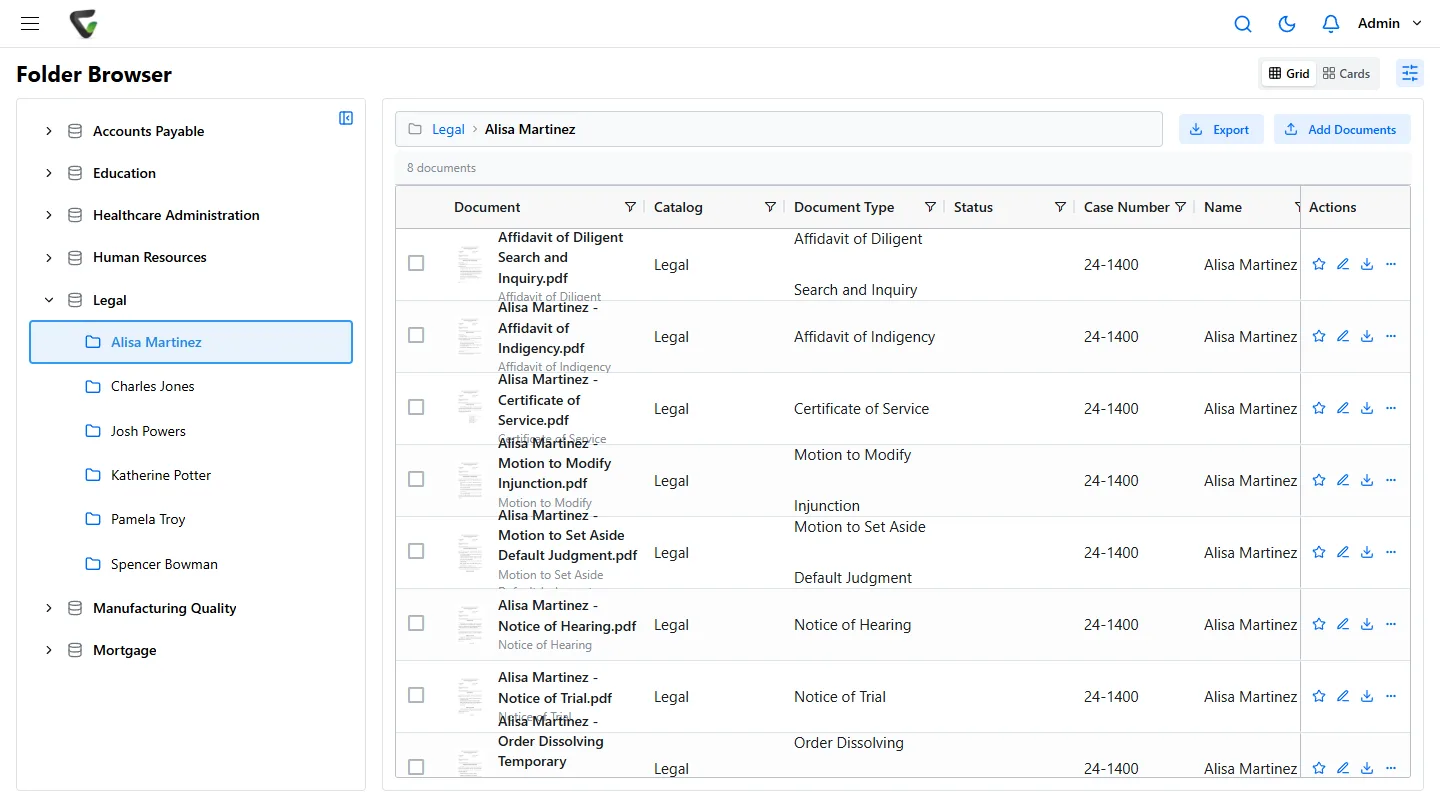
Every pleading, letter, email and draft filed under the client and case number, the current version obvious, the client's documents open only to the people on the matter, and nothing destroyed while a hold is on.
01
Intake: the file starts before the first meeting.
A prospective client calls. Someone types their answers into an email, the engagement letter goes out as an attachment, and the signed copy comes back to whoever sent it.
Email the prospective client a fillable intake form. They need no account. When they submit it, the form files itself with its answers as index fields, and the submission is logged with the IP address it came from.
Send the engagement letter for signature by email, in the order you set: the client first, then the responsible partner. When everyone has signed, the signatures are flattened into the PDF and saved as a new version.
From here on the client and matter numbers are the file's keys. Content Central can fill the client name from your practice management database when someone types the matter number.
02
Pleadings and mail: filed to the matter the day they arrive.
The complaint is served, a notice of hearing comes in the mail, opposing counsel emails a motion. Each lands on a different desk.
Scan the morning mail through CapturePoint 6. It splits the stack, reads the case number, plaintiff, defendant and attorney from complaints, and sends each document to the matter as a searchable PDF. Other filings are scanned straight from the browser or taught to CapturePoint 6 as they come.
Email is filed from Outlook with the add-in, or a shared mailbox is captured automatically with sender, date and subject kept as fields. A notice of hearing filed with its date can start a reminder a set number of days before it. Keep your docketing system for court deadlines; this keeps the paper in step with it.
03
Which draft: the one everyone opens is the current one.
Two associates edited copies of the same brief. The partner marked up a third. Version three was filed; the partner’s changes were in the other two.
Check a document out to work on it, and no one else can save over it until you check it back in. Open it in Word from Content Central and save, and it goes back in as a new version. Every earlier version stays in the history with who saved it and when, and earlier versions can be opened and downloaded.
Field changes and approvals are kept as minor versions, so the history also shows when the hearing date was entered or the partner approved the filing.
04
Who can open it: the people on the matter.
A lateral joins from the firm on the other side of a matter you are handling. Today the only control on that client’s paper is which shelf it sits on.
Content Central can limit what each person sees by a field value, such as the client. Give each user the clients they work for; documents for any other client do not appear in their searches, folders or queues. Permissions by document type sit on top, so only accounting opens trust account records.
Sensitive document types can ask for a reason before they open, and the reason is kept in the document's history. The audit trail records sign-ins, searches, views and downloads. Sign-in can use Active Directory or your identity provider, and MFA can be required for everyone.
Model Rule 1.6(c) asks lawyers to make reasonable efforts to prevent unauthorized access to client information. These are the controls; who is screened from what stays your firm's decision and procedure.
05
Hold and close: nothing destroyed while it matters.
Litigation is threatened on a matter that closed last year. The hold memo went out, but the closed boxes were already on the destruction list.
Once litigation is reasonably anticipated, relevant documents have to be preserved, and Federal Rule of Civil Procedure 37(e) addresses electronically stored information that is lost. In Content Central a hold is a retention override: the documents are kept indefinitely until you remove it.
When a matter closes, each document type follows its retention schedule, from the period your policy and state bar guidance set. Documents due for destruction show on the Retention Policies page first, and every deletion is in the audit trail.
When a client asks for their file at the end of a representation, one search by client or case number finds all of it. Set up as a packet keyed on the matter number, the documents can be merged into a single PDF to hand over.
- Placing a legal hold
- 1Search the matter by case number or client, plus any related matter, and select every result.
- 2Set the documents to Retain Indefinitely. Their retention schedule no longer applies, and the override records who set it and when.
- 3Record the hold in an index field on those documents, such as Hold, so it shows in search results and to anyone who opens the file.
- 4Documents filed to the matter after today need the same override. A saved search on the case number shows anything new.
- 5When counsel releases the hold, remove the override and the documents return to their normal schedule.
Across every matter
Every filing that mentions it, in one search.
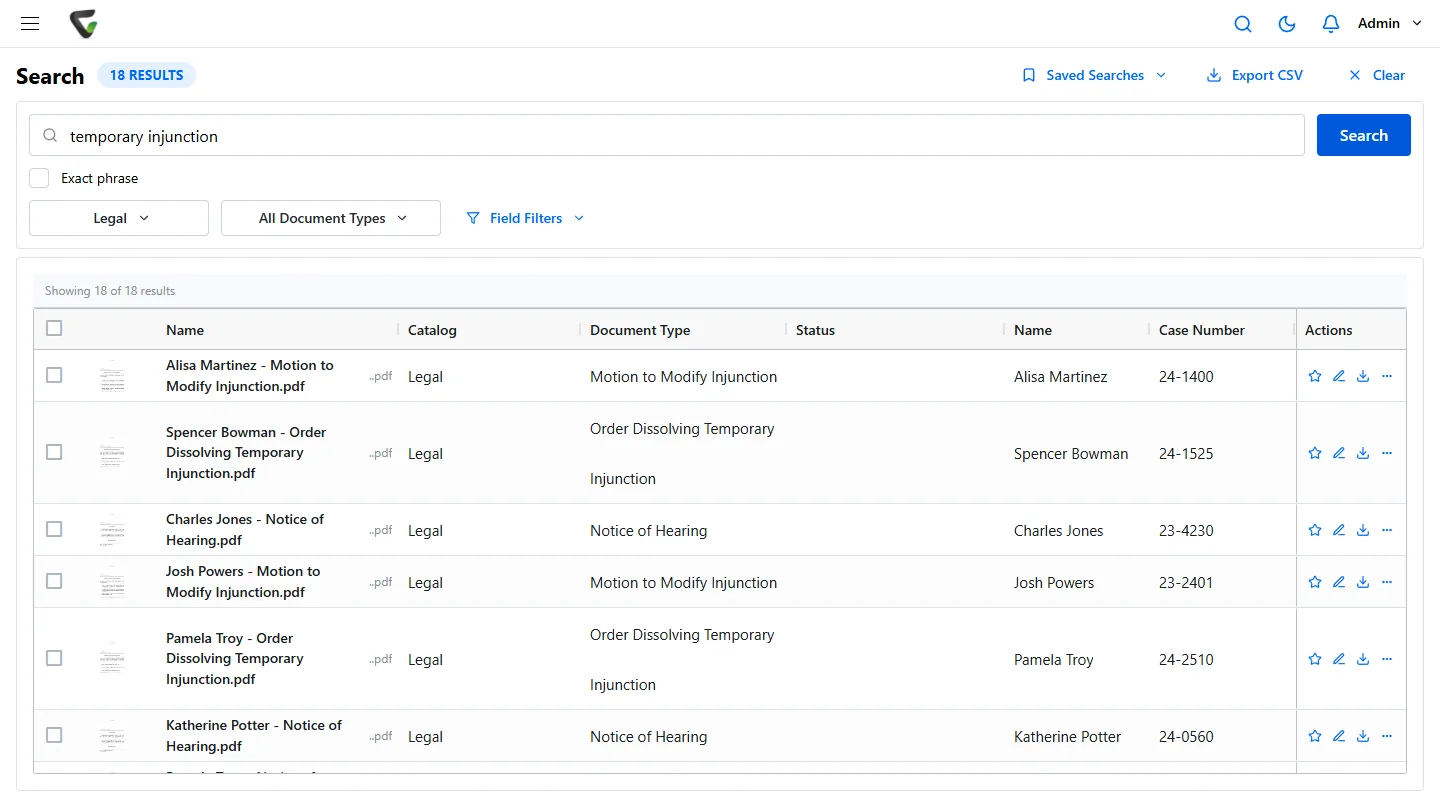
Search a party, a judge or a phrase across every matter you are allowed to see. Every scanned page is read, hits are highlighted on the page, and field filters such as case number or document type narrow the list.
- Save the search and share it, or keep it private
- Export the result list to Excel as an index
- Send a filing to a partner for review, with notes and a deadline
What firm administrators ask
Does this replace our practice management or billing software?
No. Keep them for time, billing, calendaring and docketing. Content Central keeps the documents. It can look up a client or matter name from another system’s database through ODBC when a document is filed, so the numbers match.
Can we file email from Outlook?
Yes. The Content Central add-in puts a ribbon in Outlook, Word, Excel and PowerPoint to file a message or a document to the matter. A shared mailbox on Microsoft 365, Gmail or IMAP can also be captured automatically, with sender, date and subject kept as fields.
Is limiting access by client the same as an ethical screen?
It is the document side of one. You decide who is screened and record it under your own procedure; Content Central then shows each person only the clients whose values they hold, and the audit trail shows who opened what. Two things to know: a user with no client values is not restricted at all, and administrators are always exempt.
Where do client files live?
Your choice: in the cloud, or on your firm’s own Windows servers. Either way staff use Content Central in a web browser. When you scan with CapturePoint 6, pages are read on the PC by the scanner, not sent to an outside service.
Boxes of closed files to scan first?
CapturePoint 6 splits a box into documents and names each one from what it reads, on the PC by your scanner.
Ademero has built document software since 2002 for more than 1,000 organizations. Fortune 500 companies and government agencies review its security every year.
Free live demo
Bring one matter file. We will set up its intake, versions, access and hold with you.
Book a free demo and we will show you around, answer your questions and run your real paperwork through it. No cost, no pressure.
- A live tour of the products that fit your work
- Your own documents, set up and shown working
- Your workflow and process, mapped with you
- Straight answers from people who build it
